Features
Everything virtua does.
Machines, isolation, Kubernetes, managed services, your other computers and one search over all of it. Only what is shipped; the planned list is at the end.
Sandboxes
A real machine per project, in a minute.
Each sandbox is a virtual machine with its own kernel, disk and network: not a container. virtua installs each image once, unattended, and every next sandbox starts from that installation.
Images
Debian, Ubuntu, Fedora, Rocky, Alma, Kali and Windows 11, plus your own cloud images (qcow2, raw).
Profiles
Standard, Web development, Isolated lab, Offline test, Untrusted software, Build runner: one click sets the right options.
Files
A shared folder mounted live in Linux guests, drag and drop onto a card, and a file browser per sandbox.
CLI and console
Everything the console does, the CLI does too: virtua run, ssh, snapshot, export, cluster…
Snapshots and clones
Instant copy-on-write snapshots, running or stopped; clones get their own hostname, machine id and address.
Disposable
Every change discarded at stop: the same clean machine every time, for untrusted software, demos and CI.
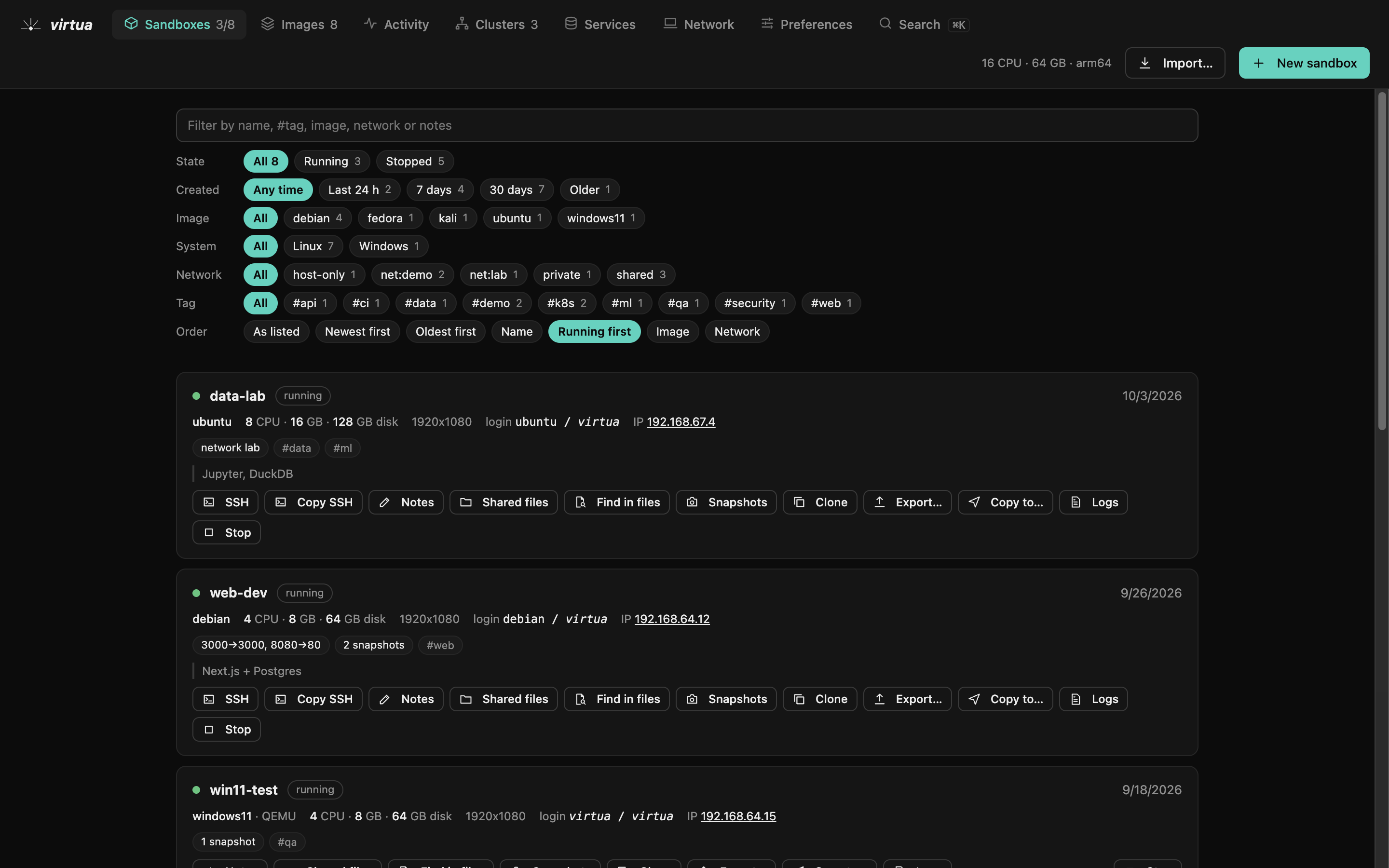
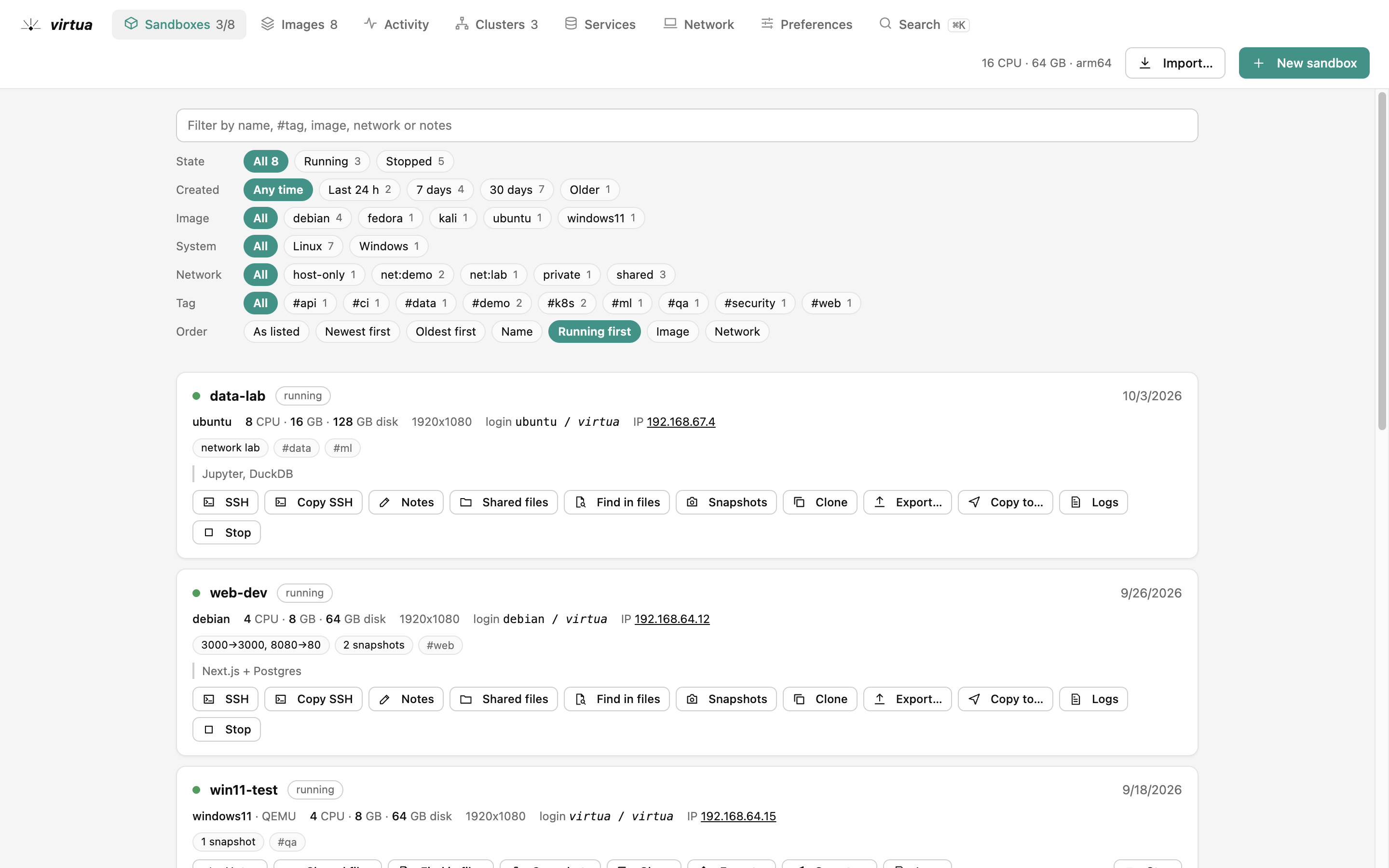
Every machine with its state, image, network and ports; filters as buttons, actions one click away.
Networks and isolation
Decide what each machine can see.
The host enforces it, not the guest. Isolation you can test: a private sandbox reaches the internet but not its neighbours; an offline one has no network card at all.
Five modes
Shared (internet), private (its own network), host-only (this computer only), offline, or net:<name> for a group that sees each other.
Ports
Publish a sandbox's port on localhost, or on your local network when you mean it.
Least by default
No clipboard, no shared folder, read-only folders, no SSH keys: per sandbox, or through a profile.
Kubernetes
Clusters like production, without the bill.
A k3s server and agents, each one a sandbox, on a network of their own. The console is a full Kubernetes client: no kubectl knowledge needed, and it's all there when you want it.
Create and scale
Agents, CPUs, memory, Kubernetes version and add-ons at creation; add or remove nodes any time.
Explore
Every kind of resource, related objects, events, YAML, describe, logs and a shell in any container.
Usage
What pods really use against their requests and limits, by namespace, workload, node or pod, over time.
Helm and manifests
Install charts from a folder, a repository or the examples; apply, diff and delete manifests.
Network report
Interfaces, routes, overlay, firewall and connectivity per node, with deep pod-to-pod and DNS checks.
Other clusters
Docker Desktop's, minikube, kind, k3d: found in your kubeconfig, marked "not created by virtua", managed the same way.
Managed services
Databases with credentials and backups, ready.
Like a cloud's managed services, on your clusters: a stable address, generated credentials, scheduled backups to your disk and a restore button.
The catalog
PostgreSQL, MariaDB, MongoDB, Redis-compatible cache, Memcached, object storage, RabbitMQ, NATS, Kafka, search, a registry, Keycloak, Mailpit.
Backups
Daily, hourly or weekly, kept in your shared folder; back up now, list and restore from the console.
Connect
Connection strings and port forwards to localhost, with copy buttons for every client.
Across computers
Your Mac and your PC, one platform.
Computers running virtua find each other on the local network and pair once with a six-digit code. Traffic is encrypted with a key from the pairing, and only paired computers are answered.
Copy sandboxes
Copy a sandbox to the other computer, or one of its here: rebuilt from the same image, its work restored, even from arm64 to x64.
Private network
Linked sandboxes reach each other at 10.99 addresses over WireGuard, wherever they run.
One cluster on both
A PC's sandbox joins your Mac's cluster as an agent: pods, DNS and services work across.
Synced folders
A folder kept identical in chosen sandboxes, both ways, over the private network only.
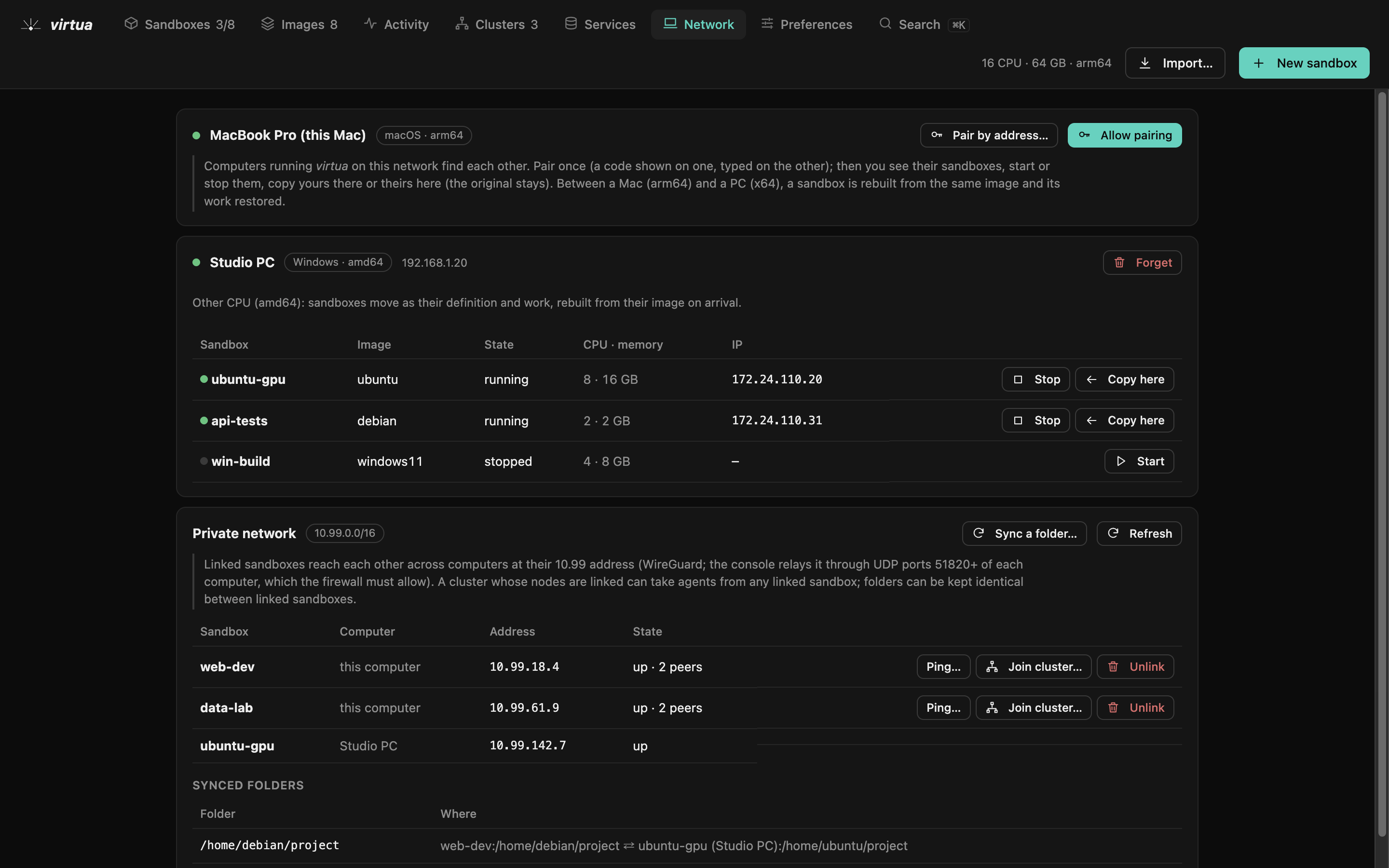
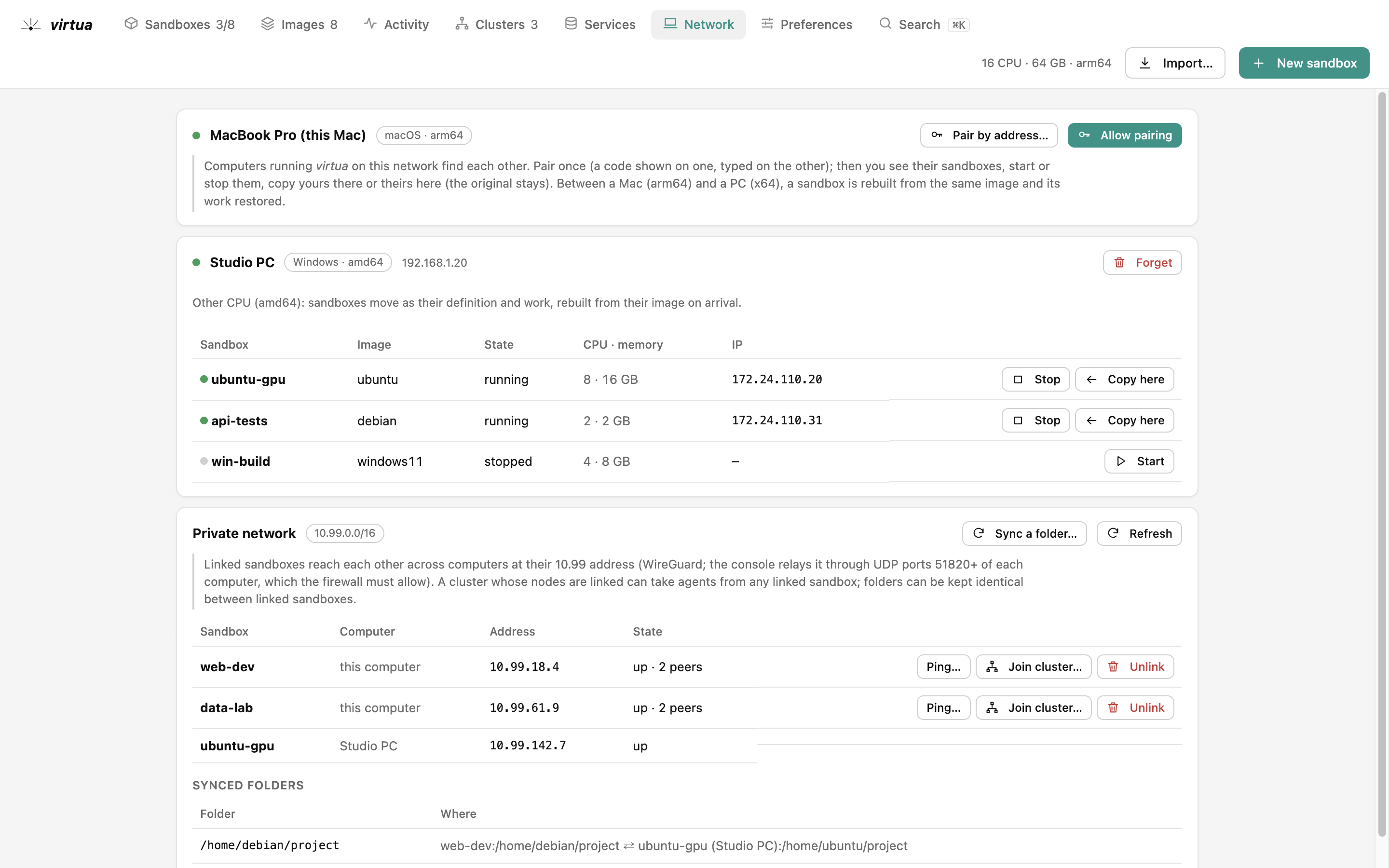
Other computers, the private network between them and the folders kept in sync.
Search
Find anything, then act on it.
One search over what virtua manages and what is inside it: by name, label, field or status, with autocomplete, facets, saved searches and examples to start from.
Find resources
Sandboxes, images, clusters, services and Kubernetes objects: kind:pod status:failed, image:postgres*, has:exposed…
Find in files
File names and the text inside them, in sandboxes and on every node of a cluster, loaded as you scroll.
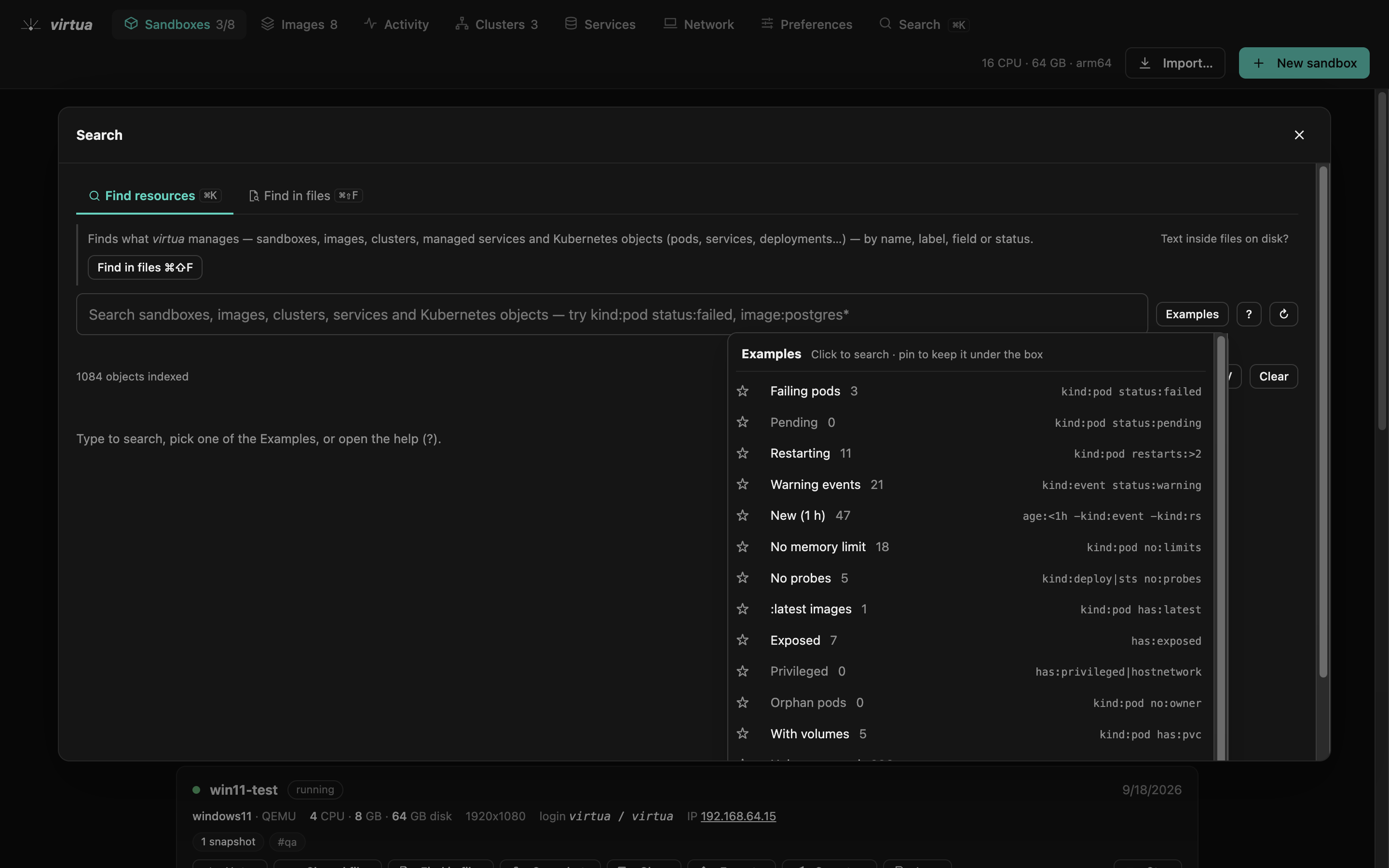
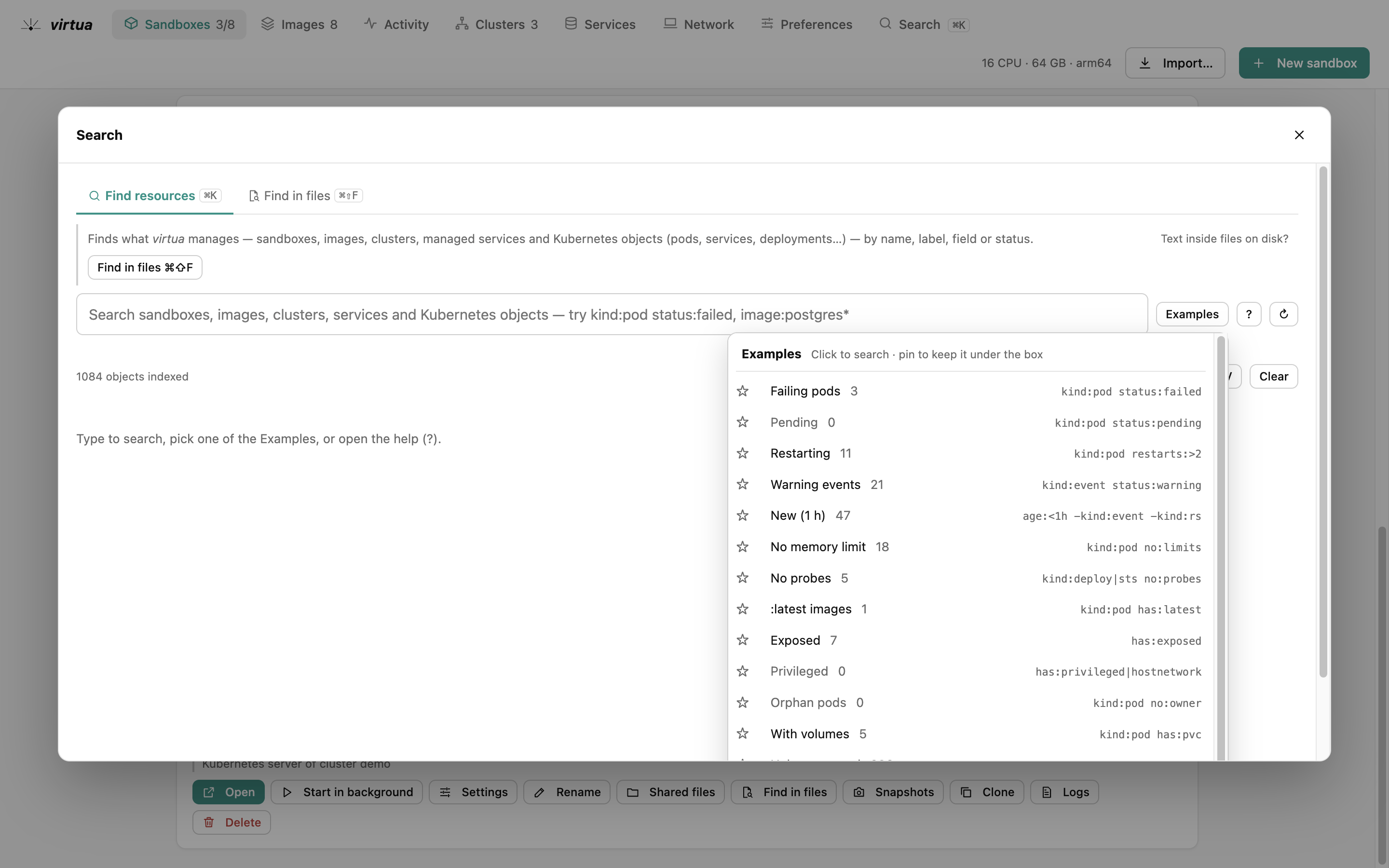
Everything virtua manages, one box: examples to start from, facets and saved searches.
The console
Yours to arrange.
Tabs in your order, the views you want, the colours you like, and what you see when it opens: all preferences, shared with the CLI.
Colours
Light, dark or the system's, an accent, more contrast, colour-blind friendly status colours.
Tabs
Drag them into your order, hide the ones you don't use; shortcuts follow.
Activity
CPU, memory and disk of the computer and of each sandbox, and a warning when memory runs short.
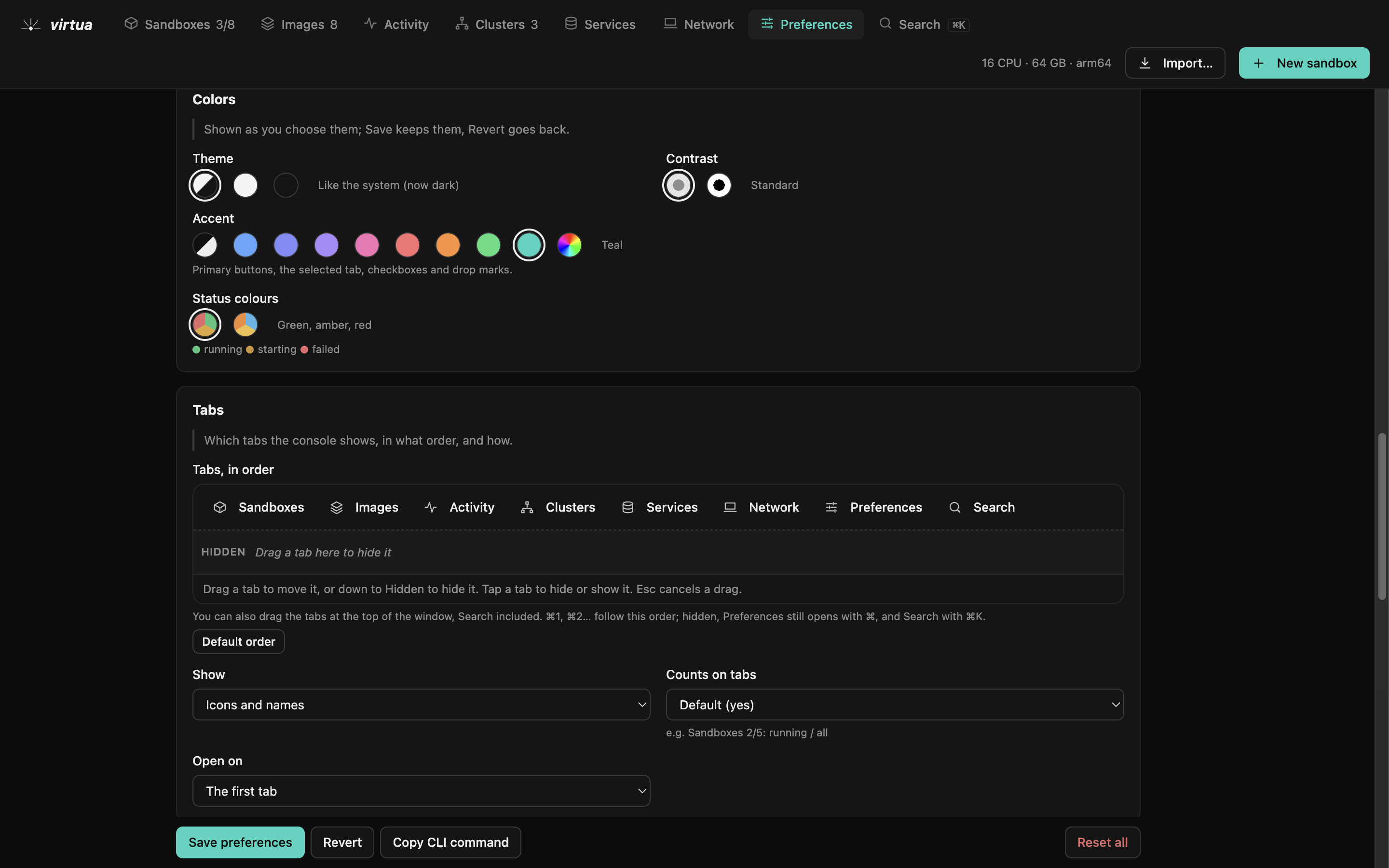
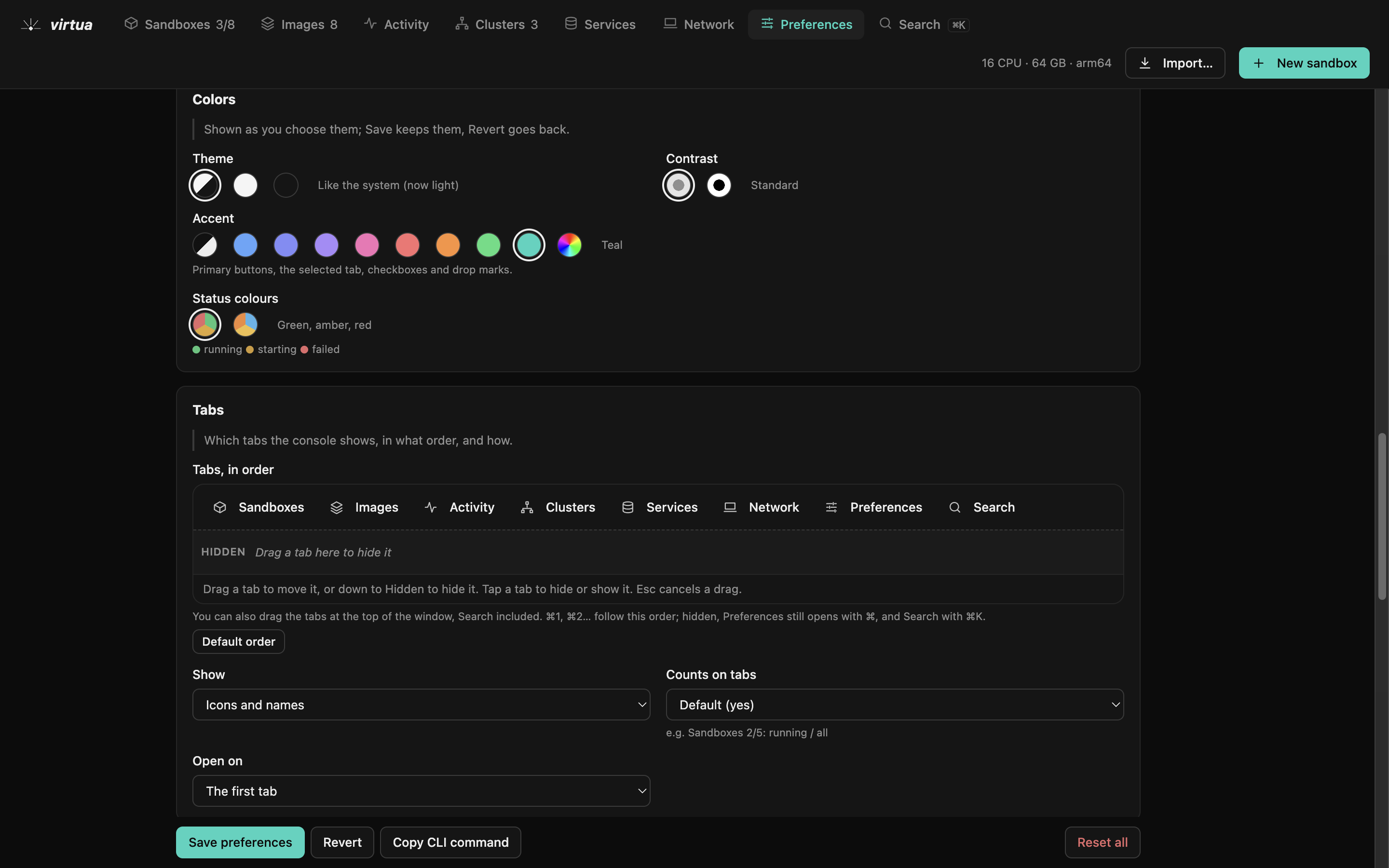
Tabs in your order, colours, and the defaults of new sandboxes and clusters.
Planned
Next, not shipped yet.
- Signed installers: a notarized macOS app, a Windows installer, Linux packages
- Automatic updates
- Team spaces: shared images, presets and clusters for a team
- Windows guests on Linux hosts